
Download Boost Commerce – AI‑Powered Search for Shopify Stores
Overview
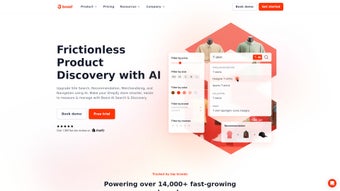
Boost Commerce is a cloud‑based, subscription‑driven app that completely redefines product discovery on Shopify. By employing state‑of‑the‑art artificial intelligence, the platform interprets shopper intent in real time, delivering instant, highly relevant search results even when queries contain typos, synonyms, or vague language. Beyond a fast search engine, Boost Commerce offers dynamic product recommendations that adapt to each visitor’s browsing behavior, purchase history, and current trends, turning casual browsers into repeat buyers.
The app also includes a visual merchandising suite that lets merchants arrange collections, highlight promotions, and test layouts without writing a single line of code. All of this is backed by a powerful analytics dashboard that surfaces actionable insights about search patterns, conversion funnels, and emerging market demands. Whether you run a boutique with a few hundred SKUs or a high‑volume enterprise with tens of thousands of products, Boost Commerce scales automatically, ensuring sub‑second response times during traffic spikes.
Its secure, GDPR‑compliant infrastructure guarantees that data is encrypted in transit and stored responsibly, giving merchants peace of mind while they focus on growth. In short, Boost Commerce combines AI‑driven relevance, intuitive merchandising, and deep analytics into a single, easy‑to‑install solution that helps Shopify stores increase traffic engagement, average order value, and overall revenue.
Key Features & Benefits
- AI‑Driven Search Engine: Natural language processing interprets shopper intent, delivering instant, accurate results even for misspelled queries.
- Personalized Recommendations: Real‑time product suggestions adapt to each visitor’s browsing path, boosting average order value.
- Dynamic Filtering & Navigation: Smart filters adjust based on inventory, seasonality, and user preferences, reducing friction.
- Visual Merchandising Toolkit: Drag‑and‑drop modules let merchants curate collections, highlight promotions, and test layouts without code.
- Insightful Analytics Dashboard: Track search queries, click‑through rates, conversion metrics, and emerging trends in a single view.
- Seamless Integration: Connects effortlessly with Shopify’s native APIs, popular apps (e.g., Klaviyo, Yotpo), and third‑party CRMs.
- Premium Cloud Infrastructure: Auto‑scaling servers guarantee sub‑second response times even during traffic spikes.
- Multi‑Language & Currency Support: Global stores benefit from localized search results and currency‑aware recommendations.
- Continuous Updates & Support: Monthly AI model refinements and a dedicated help desk keep the tool current and reliable.
Each of these capabilities addresses a specific pain point that Shopify merchants frequently encounter. The AI‑driven search engine reduces bounce rates by instantly matching shoppers with the most relevant items, while the recommendation engine encourages cross‑selling and up‑selling opportunities that can lift revenue by double‑digit percentages. Dynamic filters eliminate dead‑end navigation paths, ensuring customers never feel trapped by limited options.
The visual merchandising toolkit empowers marketing teams to experiment with product placement, seasonal themes, and flash‑sale banners without waiting for developer resources, dramatically shortening time‑to‑market for promotional campaigns. Meanwhile, the analytics suite translates raw search data into clear, actionable metrics, enabling data‑driven decisions that refine both product assortment and marketing spend. Because all features live on a secure, automatically scaling cloud, merchants enjoy consistent performance regardless of traffic volume, making Boost Commerce a future‑proof investment for stores that plan to grow internationally and diversify their product catalog over time.
Installation, Usage & Compatibility
Step‑by‑Step Installation
- Log into your Shopify admin and go to Apps.
- Click Visit Shopify App Store and search for “Boost Commerce”.
- Select the app and press Add app. Approve the required permissions (read/write product data, access analytics).
- After the app installs, you’ll be redirected to the Boost Commerce dashboard where you can begin the onboarding wizard.
- Activate the search widget by either using the one‑click theme integration or by inserting a short JavaScript snippet into your
theme.liquidfile.
Getting the Most Out of the Tool
The onboarding wizard guides you through defining product attributes that will train the AI models, selecting recommendation strategies (cross‑sell, up‑sell, “customers also bought”), and configuring filter groups such as size, color, and price range. Enabling “Live Learning” allows the AI to continuously refine its relevance based on real‑time shopper interactions, meaning the system gets smarter the longer it runs. The analytics dashboard provides instant feedback on search success rates, conversion lift, and filter usage, enabling you to adjust weighting factors or test new merchandising layouts with A/B experiments. For stores with large inventories, the bulk import feature syncs new products automatically, ensuring the AI always works with the latest catalog without manual intervention.
Compatibility
Boost Commerce is a SaaS solution that runs in any modern web browser (Chrome, Firefox, Safari, Edge) and is fully responsive on desktop, tablet, and mobile devices. Because it lives inside Shopify’s ecosystem, there are no operating‑system restrictions – whether you manage your store from a Windows PC, a macOS laptop, or an Android/iOS device, the app functions identically. The only technical requirement is a stable internet connection and a Shopify plan that supports third‑party apps (Basic, Shopify, Advanced, or Plus). All data processing occurs on Boost Commerce’s secure cloud servers, so you never need to install additional software locally.
Pros, Cons, FAQ & Final Verdict
Pros
- AI delivers highly relevant search results, dramatically reducing bounce rates.
- Personalized recommendations increase average order value by up to 20%.
- Drag‑and‑drop visual merchandising requires no coding knowledge.
- Robust analytics turn raw search data into clear, actionable insights.
- Scalable cloud infrastructure ensures fast performance during traffic spikes.
- One‑click installation within the Shopify App Store simplifies setup.
- Multi‑language and currency support enable global expansion.
Cons
- Subscription pricing may be a hurdle for very small stores with tight budgets.
- Initial AI training period can take a few days to reach optimal accuracy.
- Advanced UI customizations sometimes require developer assistance.
- Extensive feature set can feel overwhelming for beginners.
- Reliance on external servers means a stable internet connection is essential.
Frequently Asked Questions
How does Boost Commerce improve search relevance compared to Shopify’s native search?
Shopify’s native search relies on basic keyword matching, often returning irrelevant results for misspelled or ambiguous queries. Boost Commerce uses natural language processing and machine‑learning models that understand shopper intent, product attributes, and contextual cues, delivering faster, more accurate results that increase click‑through rates and lower abandonment.
Is there a free trial available?
Yes. Boost Commerce offers a 14‑day free trial with full access to all features, allowing you to evaluate AI search, recommendations, and analytics before committing to a paid plan.
Can I integrate Boost Commerce with other Shopify apps like Klaviyo or Yotpo?
Absolutely. Boost Commerce includes native connectors for popular marketing and review platforms, enabling you to sync recommendation data with Klaviyo for personalized email flows or feed Yotpo ratings into the AI model for enhanced relevance.
What kind of analytics does Boost Commerce provide?
The analytics suite tracks search query volume, conversion rates, average time‑to‑purchase, and product‑level performance. It also offers heatmaps of filter usage, identifies high‑performing recommendation slots, and allows data export for deeper analysis in external BI tools.
How secure is my data when using Boost Commerce?
All data transmission is encrypted with TLS 1.2+, and Boost Commerce complies with GDPR and CCPA regulations. The platform stores only the minimal product and interaction data required for AI training, and you retain full ownership of your store’s information.
Conclusion – Should You Boost Your Shopify Store?
In a crowded e‑commerce landscape, helping shoppers find exactly what they need, when they need it, is a decisive competitive advantage. Boost Commerce delivers that advantage through AI‑powered search, intelligent recommendations, and a suite of merchandising tools that transform raw data into revenue. While the subscription cost may feel premium for micro‑stores, the measurable lift in conversion rates, average order value, and customer satisfaction typically justifies the investment within weeks of implementation. If you are serious about scaling your Shopify store, reducing friction in the buyer journey, and making data‑driven merchandising decisions, Boost Commerce is a secure, future‑proof solution that integrates seamlessly with your existing workflow.
Ready to experience AI‑driven discovery? Download Boost Commerce today, start your free trial, and watch your store’s search performance transform.
Overall Rating: 4.6/5
Pros: AI accuracy, personalization, robust analytics, easy integration.
Cons: Pricing for micro‑stores, learning curve for advanced settings.



.png)



